
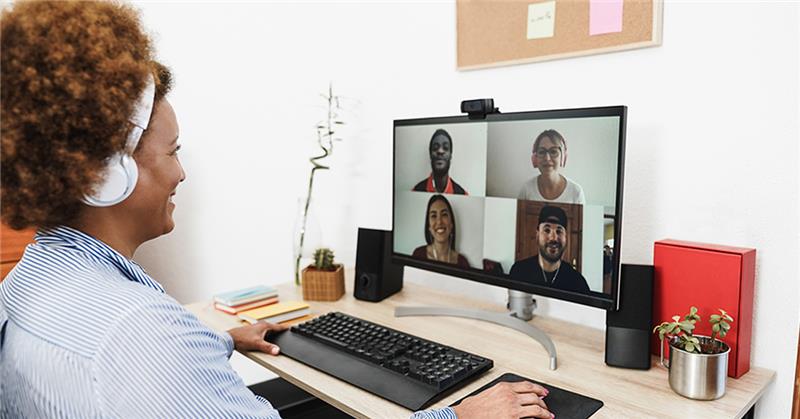
How to Onboard Remote Employees: 7 Proven Steps That Work
Knowing how to onboard remote employees is no longer optional
for businesses that rely on remote talent to operate and grow. Most remote hiring failures are not hiring failures. They are onboarding failures. A candidate who performed well in interviews and brought real expertise to the role can still underperform and leave within three months if their first few weeks on the job are disorganized, unclear, or unsupported.
When you onboard remote employees well, the results are measurable. Research consistently shows that structured onboarding increases long-term retention and shortens the time it takes for new hires to reach full productivity. For remote employees, this effect is even stronger because they do not have the informal support systems of an office environment to fall back on.
This guide covers the seven steps every business should follow when they onboard remote employees, from the day before someone starts to the end of their first 90 days.
Why So Many Businesses Get Remote Employee Onboarding Wrong
The most common mistake businesses make when they onboard remote employees is treating the process as a one-time event rather than a structured journey. They send over login credentials, schedule a welcome call, and then expect the new hire to figure out the rest on their own.
In an office, this approach is less damaging because the environment itself provides a lot of informal guidance. A new in-office employee can look around and observe how things work, ask a quick question to whoever is sitting nearby, and absorb company culture just by being present. None of that is available to a remote hire.
When you onboard remote employees, every piece of information they need has to be actively provided rather than passively absorbed. This requires more planning upfront, but the investment pays back quickly in the form of faster productivity, stronger engagement, and lower turnover in the first year.

Step 1: Start the Process Before Day One
The foundation of how to onboard remote employees effectively is laid before they ever log in for the first time. The goal of pre-onboarding is simple: by 9am on their first day, the new employee should have everything they need to start contributing without delays or confusion.
Here is what to complete in the days before a new remote hire starts.
- Send system access credentials for every platform they will use, ideally three to five days before their start date
- Add them to all relevant communication channels, team groups, and project spaces in Slack, Microsoft Teams, or whichever platform your business uses
- Send a welcome message that introduces them to the team and explains what day one will look like, hour by hour
- Assign a buddy or point of contact they can go to with any question during their first week, without feeling like they are bothering their manager
- Share your onboarding document so they can read through it before they start
A remote employee who spends their first morning waiting for access codes or trying to find the right person to contact starts their time at your company on the back foot. That first impression takes weeks to recover from and sets the tone for the entire engagement.
Step 2: Make Day One Structured and Personal
Day one is the most important day in the process of onboarding remote employees. The temptation is to send a long list of reading material and leave the person to work through it at their own pace. This approach consistently underperforms.
Day one should be structured, interactive, and personal. A strong day one plan for a new remote employee looks like this.
- A welcome video call with their direct manager to walk through the role, the team structure, and what the first week will look like
- Introductions to the core team members they will work with most closely, even if these are brief five-minute calls
- A guided walkthrough of the communication tools and the norms around how your team uses them
- A review of the first week’s priorities and a clear statement of what success looks like in those initial tasks
- Unstructured time to explore the systems and documentation without pressure to deliver anything in that session
End day one with a short fifteen-minute check-in call. This small habit communicates that the new employee is supported and that their manager is paying attention. In a remote environment where the absence of feedback can quickly be interpreted as indifference, this check-in matters more than most managers realize.
Step 3: Build the First Two Weeks Around Three Clear Priorities
The first two weeks are the phase of remote employee onboarding where the foundations are laid for everything that follows. The goal is to give the new team member enough context and guidance to start contributing meaningfully, without burying them in information before they have the basic orientation they need.
Structure this period around three priorities.
Understanding how the business works
Share documentation about your core processes, your clients, your products or services, and the metrics that matter to the business. Keep this focused on what is relevant to their specific role. A legal assistant needs to understand your case management process and billing cycle. A remote developer needs to understand your codebase, deployment process, and sprint structure. Tailor the context to the role.
Getting familiar with the tools
Give the new team member structured time to work through the main platforms they will use daily. Pair them with a colleague who can answer tool-specific questions as they come up. The goal at this stage is confident familiarity, not mastery. Mastery comes with time and real work.
Starting with lower-stakes tasks
The first tasks a new remote employee takes on should be chosen deliberately. They should be meaningful enough to feel like real work, but low enough in stakes that a mistake is a learning opportunity rather than a significant problem. This builds confidence and gives you early visibility into how the person approaches their work.
Building a remote team goes beyond onboarding. If you are still figuring out the right talent strategy for your business, browse our full range of remote staffing services to see how All Talentz can support your specific needs. And if you have questions about getting started, our team is ready to help — get in touch through our contact page.
Step 4: Hold a 30-Day Review to Reset and Align
One of the most overlooked steps in how to onboard remote employees is the formal 30-day review. By the end of the first month, your new remote hire should have a clear understanding of their role, be comfortable with the tools they use, and be contributing meaningfully to their core responsibilities.
The 30-day review is not a performance assessment. It is a two-way conversation that covers the following.
- What is going well in the role, and what the employee feels confident about
- What they are finding challenging and where they would benefit from more guidance or resources
- Whether the initial expectations you set at the start of the engagement are accurate and realistic
- Any adjustments to processes or communication norms that would help them work more effectively
The conversations and feedback loops you establish at this stage become the template for how you manage the relationship going forward. Getting this right in the first month makes the ongoing management of a remote team member significantly more straightforward.
Step 5: Use the Right Tools When You Onboard Remote Employees
The tools you use when you onboard remote employees have a direct impact on how quickly they get up to speed and how connected they feel to the team. You do not need an expensive or complex tech stack. You need four categories of tools working together consistently.
- A real-time messaging platform for day-to-day communication. Slack is the most widely used option and works well for teams of any size. Microsoft Teams is a strong alternative for businesses already in the Microsoft ecosystem
- A project management tool for tracking tasks, deadlines, and progress. Asana, Trello, and Monday are all solid choices, depending on how your team works
- A video conferencing platform for welcome calls, team meetings, and one-on-ones. Zoom and Google Meet are the standard choices, and both have free tiers that work for small teams
- A document storage and knowledge base system so that onboarding materials, process documentation, and reference information are accessible to everyone. Google Workspace and Notion both serve this purpose well
The specific tools matter less than using them consistently. Set clear norms around which channel is used for what, what the expected response time is for each, and what warrants a video call versus a written message. Undocumented communication norms are one of the most consistent sources of friction when you onboard remote employees.
Step 6: Avoid These Common Remote Onboarding Mistakes
Knowing what not to do is as valuable as knowing what to do. These are the mistakes that most commonly derail the remote employee onboarding process.
- Overloading the first week with documentation and reading material rather than structured interaction and guided practice
- Delaying system access so that the first hours of a new employee’s experience are spent waiting rather than working
- Failing to introduce the new employee to the wider team early creates isolation that is hard to reverse once it sets in
- Not checking in frequently enough during the first month leaves the employee without feedback and causes them to disengage quietly
- Treating the onboarding process as complete after the first week rather than recognizing it as a 90-day commitment
- Assuming the employee will proactively ask for help when they are confused. Many remote employees hesitate to ask for support in the early stages for fear of appearing incompetent
Step 7: Build an Onboarding Document Before You Hire Remote Employees
If you are planning to onboard remote employees more than once, which most growing businesses are, the investment in building a reusable onboarding document pays for itself with every new hire. A good onboarding document covers the following.
- The core information about how your business operates and what matters most
- Your communication tools, how they are used, and what is expected in terms of response times
- The expectations for the first 30, 60, and 90 days in the role
- Who to contact for what type of question or support
- Your feedback and performance review process
The document does not need to be long or beautifully formatted. It needs to be accurate and genuinely useful. Review it after every new hire’s first month and update it based on the questions they asked and the things they found confusing. Over time, it becomes one of the most operationally valuable documents your business has.
The 90-Day Onboarding Timeline at a Glance
Here is a summary of what effective remote employee onboarding looks like across the full 90-day period.
- Pre-boarding: System access, welcome message, buddy assignment, and onboarding document shared
- Day one: Welcome call, team introductions, tool walkthrough, first week priorities, end-of-day check-in
- Week one to two: Business context, tool familiarity, lower-stakes initial tasks, daily check-ins
- Days 15 to 30: Increasing independence on core tasks, regular one-on-ones, feedback loop established
- Day 30: Formal 30-day review conversation, expectation reset, process adjustments if needed
- Days 31 to 90: Full contribution to core responsibilities, weekly one-on-ones, performance visibility through outcomes
- Day 90: Full productivity benchmark review, long-term goal setting, transition to standard performance cadence
The businesses that consistently get strong performance from remote hires are not the ones that hire the best candidates. They are the ones who give every hire the clearest possible start. When you onboard remote employees well, you are making an investment that pays back in productivity, retention, and team stability for years.
All Talentz handles onboarding and integration as part of every placement. Our remote professionals arrive with the training, vetting, and support needed to contribute from day one. Contact All Talentz to learn how we can help build your remote team.
Frequently Asked Questions
How long does it take to onboard remote employees?
A thorough remote onboarding process spans the first 30 to 90 days. The first week covers access and orientation, the first month covers role training and initial tasks, and the first 90 days should bring the employee to full productivity.
What is the most important step when you onboard remote employees?
Communicating clear expectations from day one is the most critical step. Remote employees who understand exactly what success looks like in their role are significantly more likely to perform well and stay engaged long-term.
How do I make remote employees feel part of the team during onboarding?
Introduce them to the whole team on day one, include them in team meetings, communicate consistently through chat and video, and acknowledge their contributions publicly. In remote environments, inclusion is a deliberate act, not something that happens on its own.
What tools do I need to onboard remote employees effectively?
You need a communication platform such as Slack, a project management tool such as Asana, a document storage system, and a video conferencing platform. These four categories are the minimum foundation for effective remote onboarding.
If this guide has helped you think through your remote onboarding process, explore more articles on building and managing remote teams on the All Talentz blog. When you are ready to bring trained, vetted remote professionals onto your team, visit our services page to find the right fit for your business, or reach out directly through our contact page, and we will take it from there.